
Invert Image Colors Online
Invert the colors of your images online for free. Create stunning negative effects with a single click. Supports animated GIFs, WebP, and APNG.
Allowed Filetypes: All image formats (JPG, PNG, TIFF, RAW, etc.)
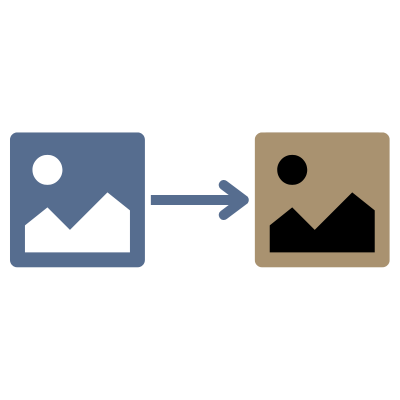
How to invert image colors online
- 1Upload your images by clicking the upload area or dragging and dropping files
- 2Preview the inverted colors in real-time
- 3Choose your preferred output format
- 4Download individual images or all at once as a ZIP file
Frequently Asked Questions
What does color inversion do?
Color inversion creates a negative effect by reversing all colors in an image. Each pixel's color values are subtracted from the maximum value (255), so white becomes black, red becomes cyan, blue becomes yellow, etc.
Does this tool support animated images?
Yes! This tool fully supports animated GIFs, animated WebP, and APNG files. All frames in the animation will be inverted while preserving the animation timing and quality.
What image formats are supported?
You can invert images in AVIF, Animated PNG (APNG), BMP, GIF, HEIC/HEIF, ICO (Icon), JPE, JPG, JPG (JPEG), MP4 (Video), PBM, PGM, PNG, PNG 24-bit, PNG 32-bit, PNG 8-bit, PNM, PPM, PSD, RAW formats (CR2, CR3, NEF, ARW, DNG, ORF, RAF, etc.), SVG, TGA (Targa), TIFF, WebP, XCF. Output formats include AVIF, BMP, GIF, JPG (JPEG), PNG, SVG, TIFF, WebP.
Are my photos safe?
Absolutely! All processing happens locally in your browser using WebAssembly technology. Your images are never uploaded to any server - they stay completely private on your device.
Can I invert multiple images at once?
Yes! Upload multiple images, preview the inverted results, and download them all individually or as a ZIP file. The inversion is applied to all images simultaneously.
What are common uses for color inversion?
Color inversion is used for creating artistic photo negatives, enhancing certain image details, accessibility improvements (high contrast views), creating design effects, and analyzing images in scientific or medical contexts.
Is there a file size or quantity limit?
No, there are no file size or quantity restrictions. All processing happens locally in your browser, so larger files or batches may take longer depending on your device's performance.
Will my animation quality be preserved?
Yes, animated images are processed frame-by-frame using FFmpeg, which preserves the original animation timing, frame rate, and quality while applying the color inversion effect.
I have another question
We are always happy to get feedback to expand the tool or clarify things.